Share & invite
Wrapped turns your graph into a contact-free share card you can post anywhere; Invite friends gives you and a friend a free month of Pro.
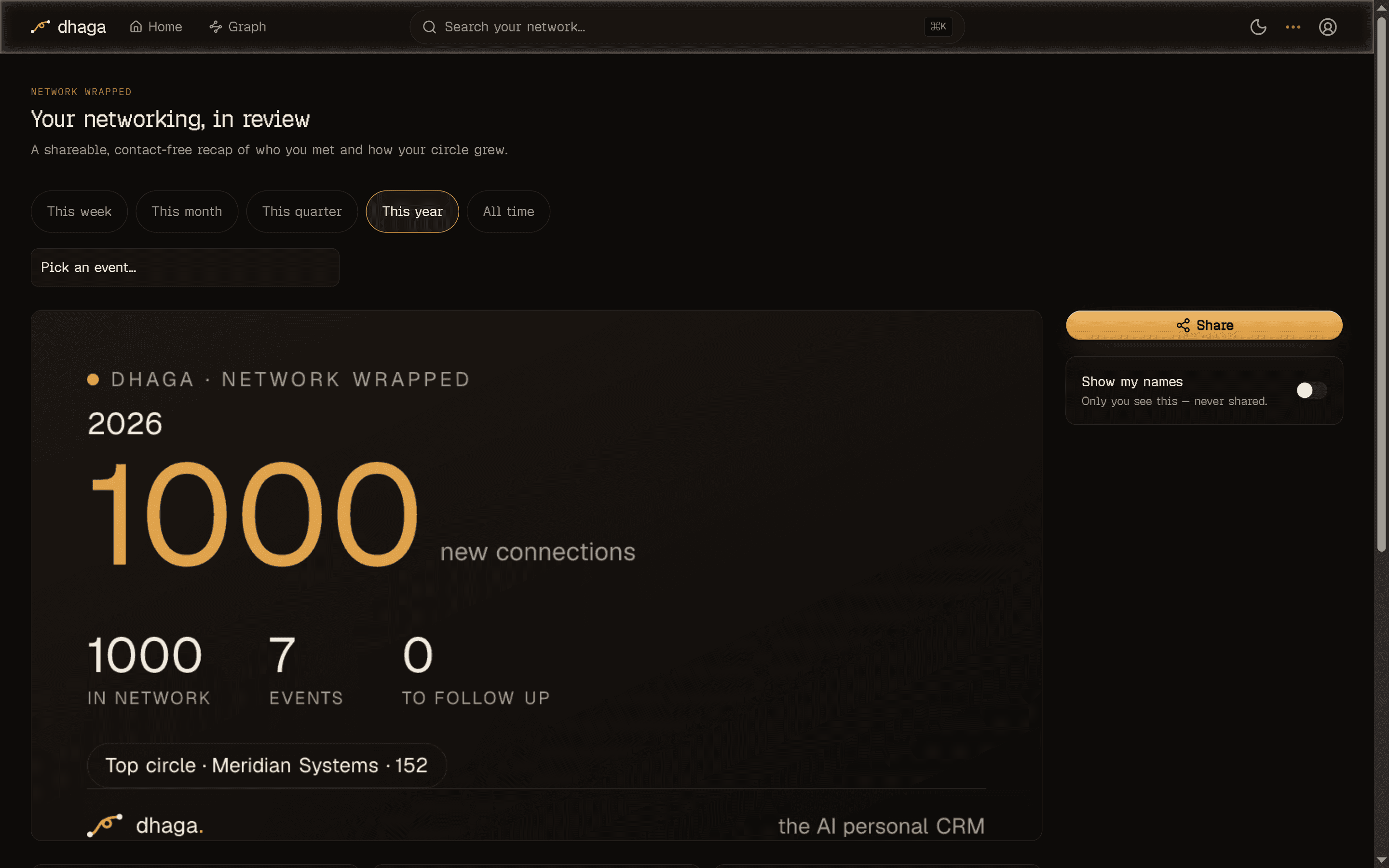
Network Wrapped
/app/wrapped (nav Wrapped) is a shareable, year-in-review-style recap of
your networking — "47 people met this month", "strongest cluster: fintech". Every
figure is computed deterministically from your own graph with plain SQL, so
there's no AI cost and nothing to meter. It works the same on a self-hosted
enterprise deployment.
- Pick a scope. The scope picker recaps a single event, or a rolling window — this week, this month, this quarter, this year (the default), or all time.
- Pick a format. Export the card as a Post (landscape), Square, or Story — the aspect ratios for a feed, a grid, or a full-screen story.
- Share it. Download the image, copy the public link, or hand off to your device's share sheet.
Names never leave your device unless you choose
The card is contact-free by construction: it shows aggregate counts and category superlatives only. The two name-bearing figures — your top company and most-connected person — stay hidden behind a Show my names toggle that reveals them in-app, for you only. They never enter the share token, the link, or the image, so a card you post leaks nothing about the people in your graph.
Invite friends
/app/referral (nav Invite friends) is a two-sided referral: share your
link and both you and the friend who joins get a free month of Pro. Signing
up is open to them either way — verifying their email address is all it takes to
get into the app.
A hosted Dhaga Cloud feature
Referrals live in the hosted Dhaga Cloud tier — they extend a subscription, which a self-hosted enterprise deployment has no concept of. On such a deployment the referral surface is simply absent. See Self-hosting.
Me & share links
The Me page holds your details and reusable templates; share links send one contact or company to someone without a Dhaga account, for a limited time.
Organizations
An organization is a shared workspace with its own contacts and notes, apart from your personal one — how to switch in, how contacts arrive, who sees what.