Companies
View, create, rename, delete and merge the companies in your graph, with duplicate detection you can correct when it's wrong — all from one page.
Companies are first-class nodes in your graph — the thread between everyone who works, or worked, somewhere. Manage them from their own page.
Open /app/companies — it's in the nav More menu. The table lists every
company with its sector and its contact count, so you can see at a glance
where your network clusters. Click a company's name to open its own page.
A search box sits above the table and narrows it by name as you type, and what you searched for stays in the page's address so the view can be bookmarked. The sector column here is there to read, not yet to filter on — the multi-value filter chips don't apply on this page. To narrow by sector, use the Sector filter on People, which lists everyone in an industry rather than the companies in it.
A company's page
/app/companies/<id> is the company's equivalent of a person's page, and it
carries the same record:
- People at this company — who is there now and who used to be, with their titles, split out from affiliations that aren't jobs (studied there, interned, sat on the board).
- Relationships — the company's edges to people and to other companies.
- Follow-ups — the tasks you attached to the company rather than a person.
- Facts, Notes, and a Timeline — notes you write about the company itself, and the facts derived from them. Each fact keeps its receipt: click through to the note it came from and the note is highlighted, exactly as on a person's page. You can also add a fact by hand or search the public web for more.
- Files — the same document shelf a person's page has: attach a contract or a deck, download it back, remove it. No AI reads it and it costs nothing. See Attach a file.
A note or fact belongs to either a person or a company, never both — so what you record about an employer never silently attaches itself to someone who happens to work there.
What you write about a company is searchable: company notes and facts are indexed like a person's, so search and Ask Dhaga surface them, and an answer drawn from a company note cites the company — the receipt card links straight to its page, not to anyone on its staff.
What a company's page doesn't do yet
A few things a person's page does are still person-only:
- Company search is by meaning, not by keyword. Company notes and facts are reached through semantic search. Where semantic search is switched off — as it is recommended on serverless deploys, whose functions are a poor fit for the local embedding model — search falls back to keyword matching, and keyword matching still covers only notes on people. Notes on entities aren't indexed either way.
- Facts appear after a refresh, not live. A person's page streams newly extracted facts in as they land; a company's page shows them on the next load.
- Notes are text. Photo notes and voice notes are person-only; dictation works, but a dictated company note is saved as text.
- Merge stays on the companies list and the duplicates page, not here.
Add a fact by hand
The Facts section carries + Add fact, exactly as a person's does. Type what you know about the company — the sector, roughly how big it is, who owns it — pick its kind, and save. No AI is involved, so it costs no credits and works on an instance with no AI configured at all. Like any fact you type yourself it's saved as already verified, and it carries no from note receipt: nobody's note is where it came from.
Enrich a company from the web
The Facts section also carries Enrich from public web ✦ — the same button a person's page has, pointed at the organisation instead. It searches the public web for company-shaped information: what the company does, its industry, its size, where it's headquartered, funding or ownership, products, and notable recent news.
What comes back is cited, saved as an ordinary note on the company, and turned into company facts. Each of those facts arrives badged unverified with a receipt back to that note, and one tap confirms it — the same flow a person's enrichment uses. Delete the note and everything it produced goes with it.
It's a Pro-and-up feature and costs 20 credits — one action at the same price as enriching a person, not two. On a plan that doesn't include it the button is greyed out with the reason next to it, so you never spend a click finding out. And it's strictly user-triggered: nothing about a company is ever looked up in the background.
It runs as a background job, so the time the search and extraction take is not yours to wait out. The page shows the job's progress while you're on it, picks it back up if you leave and return, and offers a Retry if it stopped without finishing. Pressing the button again while one is still running reuses that job rather than starting — and charging for — a second search.

Create, rename, delete
- Create a company inline from the page — handy when you want it to exist before attaching anyone.
- Rename one from its row actions.
- Delete a company when it's noise. Deleting detaches its people and their job history — everyone's positions are kept, only the employer link is cleared — then removes the company. It never deletes contacts. Your people stay; they just no longer point at that company. What is deleted is the company's own record: the notes you wrote about the company and the facts derived from them exist only to describe it, so they go with it.
You can select several companies at once to delete or merge them together.
A company's sector
Alongside its name and domain, a company can carry a sector — "Software", "Logistics", whatever describes it to you. It's plain text you type in the company's create or edit dialog, it shows on the company's own page next to the domain and as its own column on the list, and it's one of the single-value fields a merge asks you to settle.
Nothing is ever looked up behind your back — but you can ask Dhaga to fill a sector in, and there are two ways to do it, both of which cost credits and both of which wait for you to press something.
Search sector, on a company's own page or on the unplaced-companies list, runs a real web search for that one company and writes back its sector and a one-line description. It's priced per company, not per person, because the search is about the company — thirty people at the same unknown firm is one search. You'll only see the button while the sector is still empty; to change one you already have, edit it.
Suggest sectors, in the header of this page, works on your contacts rather than your companies: it asks overnight what industry each person is in, using their employer and job title. Companies whose industry it couldn't place collect on the unplaced list, ready for the search above.
Merge companies
Two entries for the same employer — "Acme" and "Acme Inc." — creep in easily across imports. Select two or more and Merge:
- Pick the survivor.
- Resolve conflicts on the single-value fields — name, domain, and sector — wherever the entries disagree.
- All contacts, positions, and relationship edges from the others are re-pointed onto the survivor, and the merged-away companies are deleted.
Like a contact merge, it's one atomic step.
Merging can't be undone
The merged-away companies are deleted with no undo. Their people, jobs, and edges move to the survivor first, so nothing is lost — but pick the survivor deliberately.
Aliases
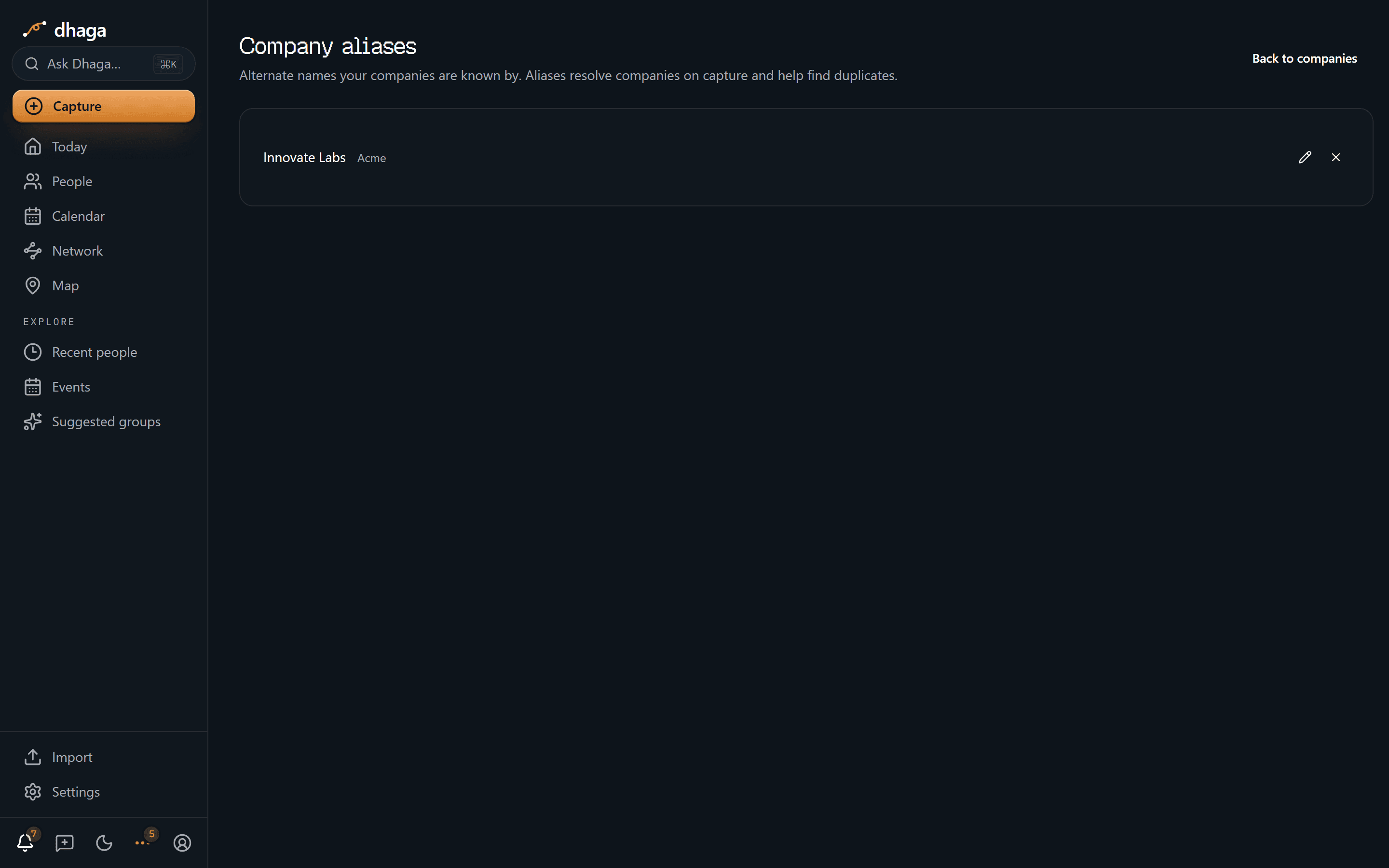
Companies pick up other names — a prior name, an acronym, an acquisition. Dhaga tracks these as aliases, so a later import that still uses an old name resolves to the right company instead of creating a duplicate.
- Merging records them automatically. When you merge companies, each merged-away name (and any aliases it already had) becomes an alias of the survivor.
- Add your own. Open a company's edit dialog and use Also known as to add, rename, or remove aliases — changes save as you make them.
- See them all on
/app/companies/aliases— the Aliases link in the Companies page header — which lists every alias next to its company, each editable or removable in place.
Find duplicate companies
/app/companies/duplicates groups companies that are probably the same by
their normalized name — ignoring case, punctuation, and common legal
suffixes (Inc, Ltd, LLC, GmbH, Pvt, and the like) — so "Acme, Inc." and
"Acme LLC" land in the same cluster. Each has a Review & merge shortcut into
the merge dialog.

Normalising names catches near-misses, and sometimes catches too much — a subsidiary and its parent, two unrelated firms that shorten to the same word. Not a duplicate, next to Review & merge, takes that set off the list. Nothing is deleted and nothing is edited: the companies stay exactly as they are, and only the suggestion is suppressed.
The answer is keyed on the exact set of companies in that group, not on the normalized name that gathered them — so a company you add later that normalizes the same way makes it a different set, and Dhaga offers the group again rather than silently hiding a duplicate that's genuinely new.
It's reversible two ways: the confirmation toast carries Undo, and the collapsed Dismissed section at the bottom of the page lists every set you've suppressed, each with Restore. It works exactly as it does for people — see Not a duplicate.
Companies appear on the graph too, as the nodes tying colleagues together.