Dhaga for Community
A community grows when every introduction has a next chapter.
Remember every member across events, interests and introductions, so the right two people meet without you holding it all in your head.
Free to start, with no cloud AI required. Pro is about ₹17 a day — ₹499 a month.
See pricingWhat breaks today
- Attendee lists say who came, not why they matter.
- Member context lives in two organisers’ heads.
- Introductions get promised in the room, never made.
What Dhaga changes
- Every member remembered by event, interest and place.
- Find the right introduction in seconds.
- Follow up while the room is still warm.
How it works for you
Card & badge scan
Clear a stack of badges after the meetup, front and back.
WhatsApp & Telegram capture
Forward a member’s message from the group; it files itself.
Events, groups & tags
Tie people to the event they came from, then group them.
Map view
See who is near you before you plan the next meetup.
Ask Dhaga
Ask who to introduce; answers come only from your notes.
MCP server
Point Claude at your community graph and draft the intro. Pro and above.
What it looks like
Screens from a seeded demo network, not mockups — the same surfaces you get on the free plan.
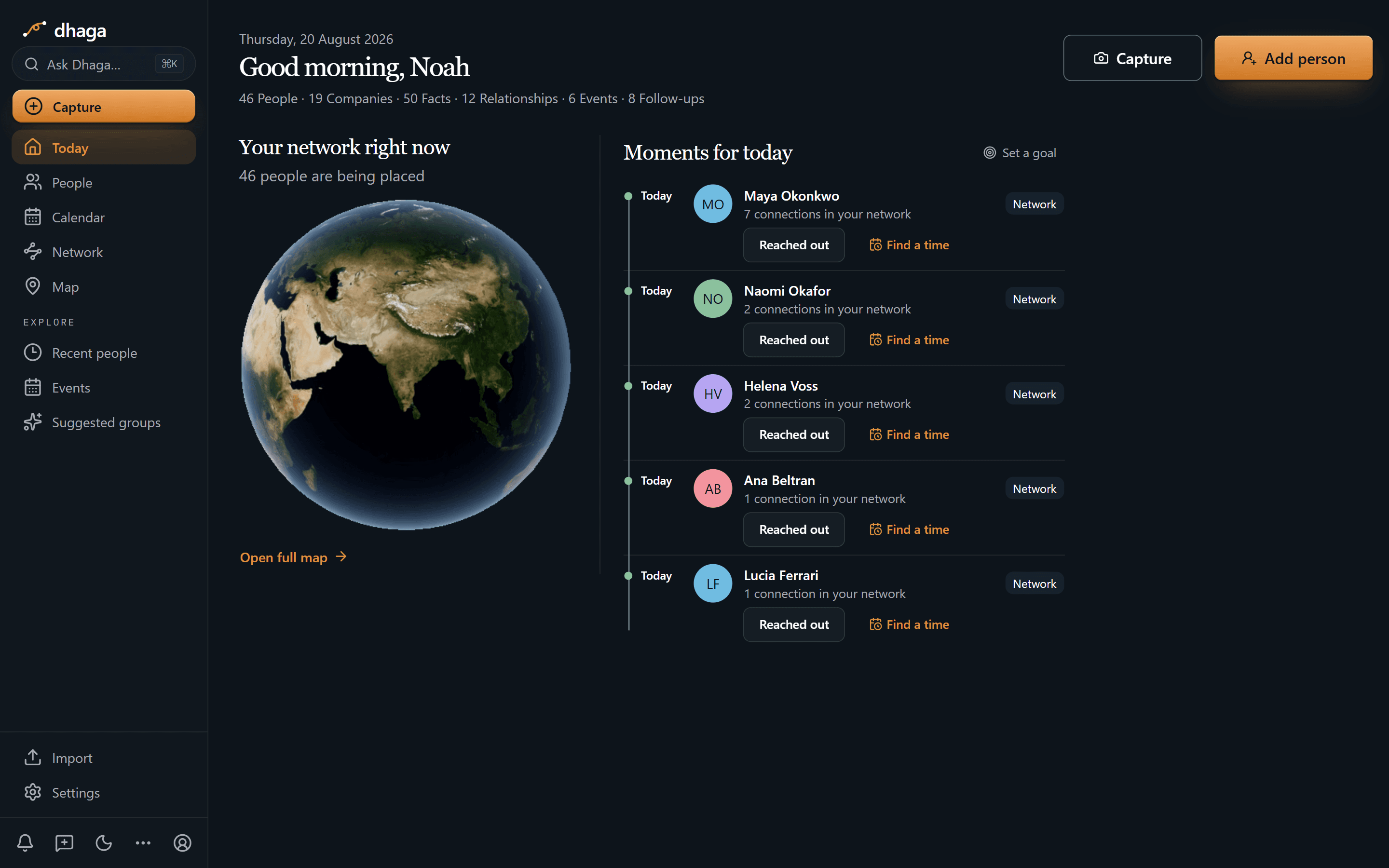
The morning view
Who is due a reach-out today, at the cadence you set, and one tap to log that you did.
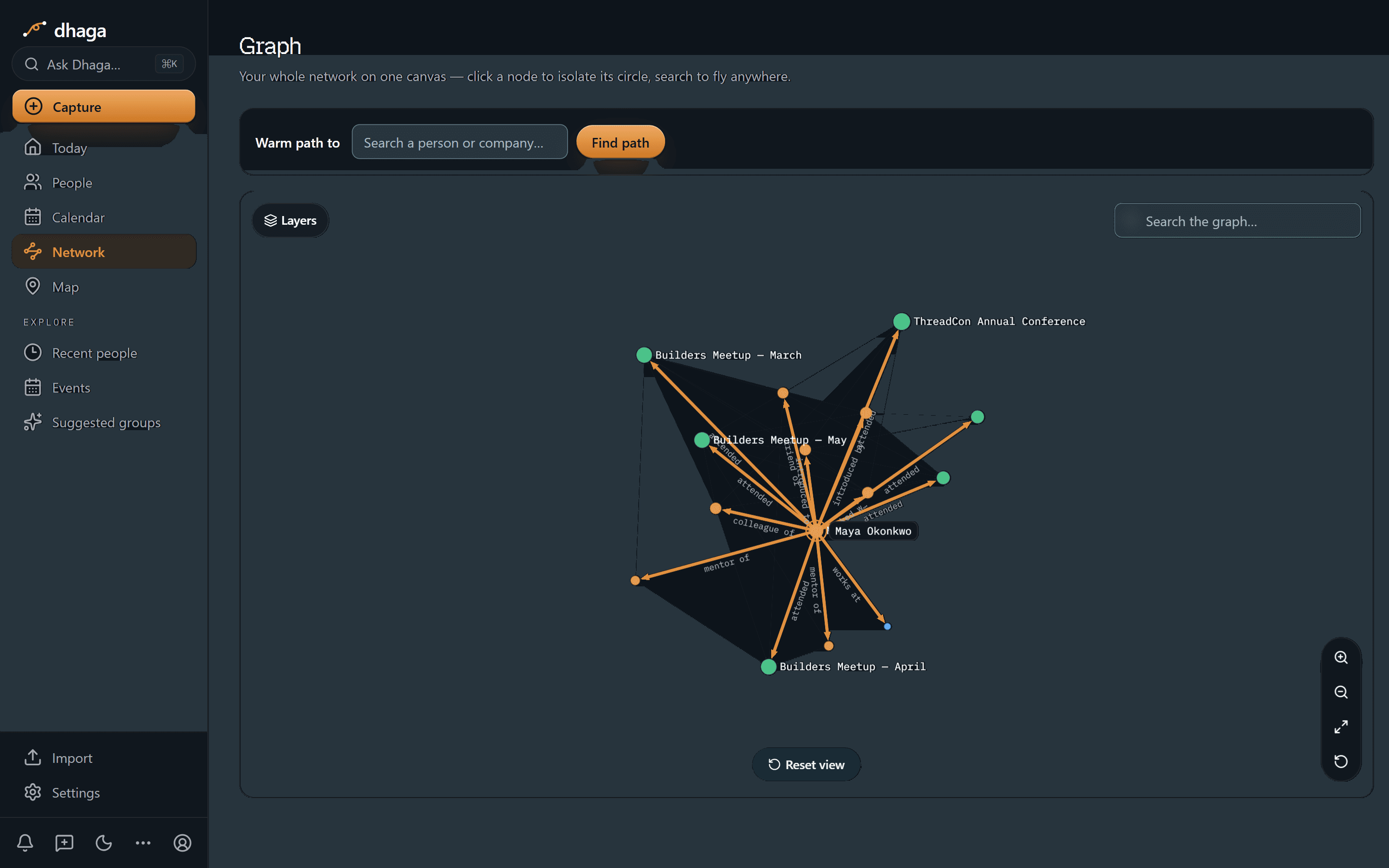
One person, one hop out
A single contact at the centre of the graph, with every edge labelled with the relationship it stands for.
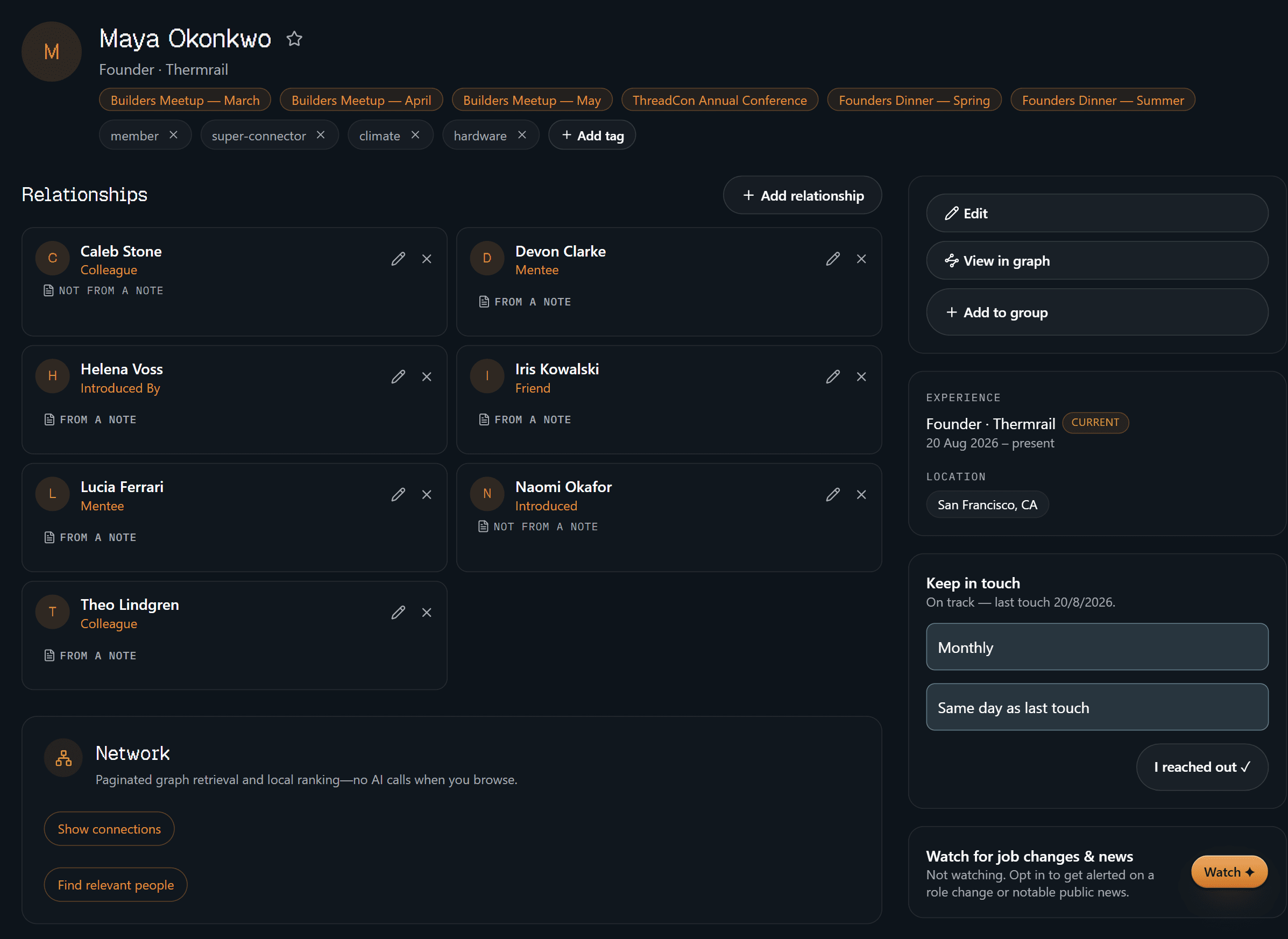
The person, before the meeting
Title and company, the events you met at, your own tags, who they are connected to, and when you are next due to reach out.
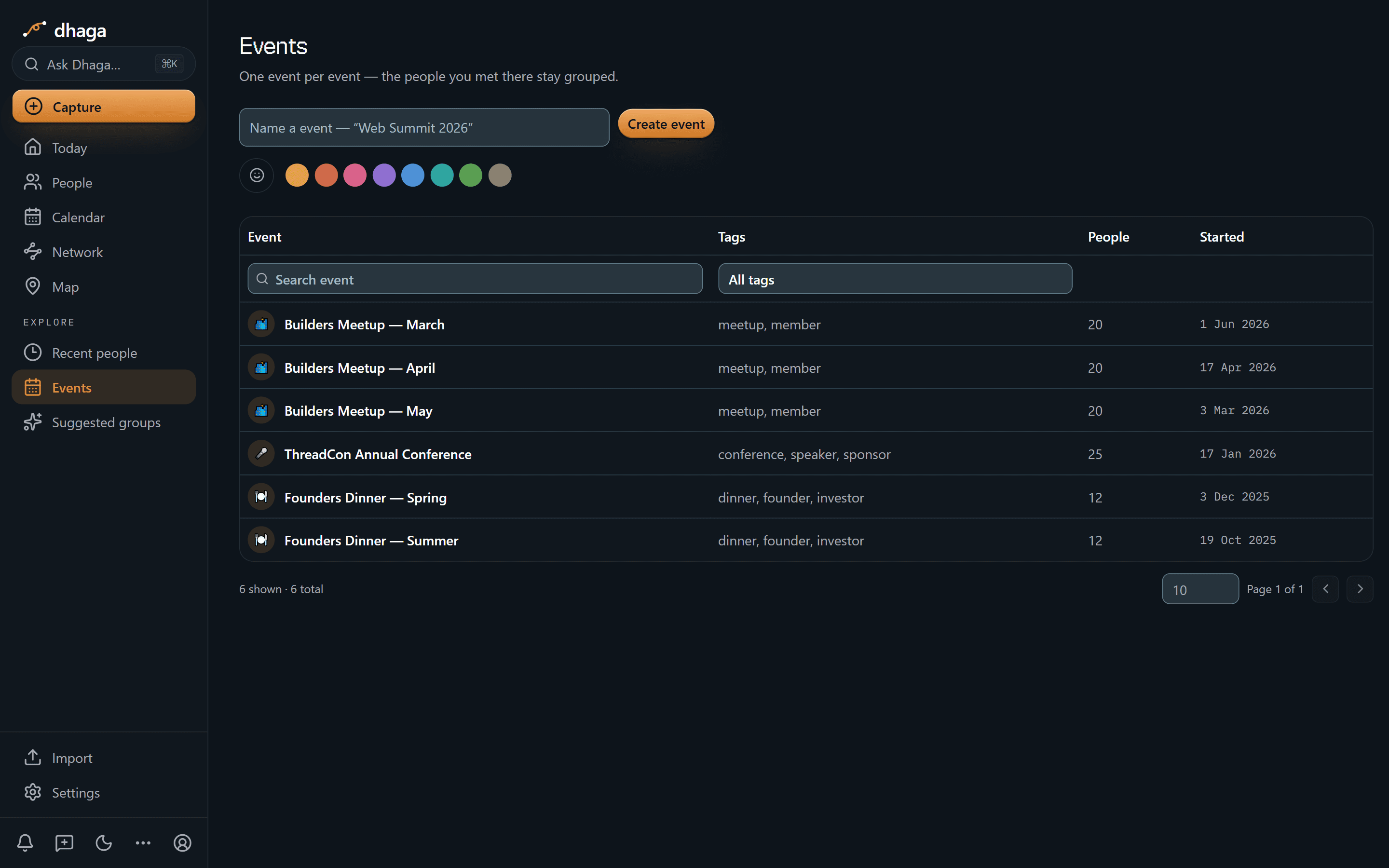
Every room you have been in
One row per event, with the tags you filed it under and how many people you met there.
Things you would ask it
“Who came to the last three meetups and works in devtools?”
“Which two members should I introduce this week?”
“Who did I promise an introduction to and never make it?”
Ask Dhaga answers from your own notes and graph, and says so when the answer is not there.
Dhaga is a personal relationship memory, not a way to copy a company database. Keep only what you are permitted to keep, and leave confidential employer or customer records in the systems that own them.
Get started
Own the relationship context that moves with you.
Sign up for Dhaga Cloud in a minute. Verify your email address and your account opens straight away.